 FlashStacks
How to use flashcards at university
A practical guide to turning lectures into cards you'll actually remember — whichever app you use.
Last updated: 17 October 2026
Short answer
Make cards from each lecture within a day or two, write one specific question per card, keep a separate deck per course, and review a little most days instead of rereading before the exam. Flashcards work because they make you recall answers — so the way you write and review them matters more than the app you use.
Why flashcards beat rereading
Rereading notes feels productive because the material looks familiar, but recognising something isn't the same as being able to recall it in an exam. Flashcards force you to produce the answer from memory first. Research on practice testing and spaced practice consistently finds these among the most effective study techniques — see our guide to active recall and spaced repetition for the evidence.
Turn each lecture into focused questions
- Start from the learning objectives. Most lectures list them on the second slide. Each objective usually becomes several cards.
- Ask "what could they ask me?" Definitions, mechanisms, causes and effects, differences between similar things, and labelled diagrams are all good candidates.
- Write the question you'd want to be asked. "What does the loop of Henle do?" is better than a card that just says "Loop of Henle".
- Do it soon. Making cards within a day or two of the lecture is easier, and the act of choosing questions is itself useful revision.
Make cards from slides and PDFs
If your lecturer posts slides as PDFs, you can work through them page by page, or use an AI tool to draft cards and then edit them. AI drafts save time but aren't always right, so check each card against the slides. Our step-by-step guide to making flashcards from PDFs covers both approaches.
Keep cards small
The most common mistake is putting too much on one card. If you can't answer a card in a few seconds, split it.
For diagrams — anatomy, pathways, maps — hide one label at a time with image occlusion instead of copying the whole figure onto a card.
Break big subjects into decks
Keep one deck per course, and split very large courses by topic or week. Smaller decks make it easy to focus on what's coming up — the next tutorial, a mid-semester test — and to see where you're weak.
Review little and often
Spread reviews out rather than cramming. Ten to twenty minutes most days, from the first week of semester, beats a weekend of rereading before the exam. A spaced-repetition app decides which cards are due, so you spend your time on the ones you're close to forgetting. When exams are near, add extra review of your weakest decks.
Use short breaks
Many reviews happen best in the gaps: waiting for a lecture to start, on the bus, in a queue. That's the idea behind flashcard widgets — the next card is already on your phone's Home Screen or Lock Screen, so a quick review doesn't need you to open an app.
A university workflow in FlashStacks
- Create a stack for each course. Each gets its own colour, which its widgets use too.
- Add the week's lecture. Generate a first draft from the slide PDF with AI (Premium), or type cards and import existing ones from CSV, TSV, JSON or an Anki text export.
- Check and trim the cards against your slides.
- Put the stack in a widget on your Home Screen or Lock Screen, and choose how often it changes card.
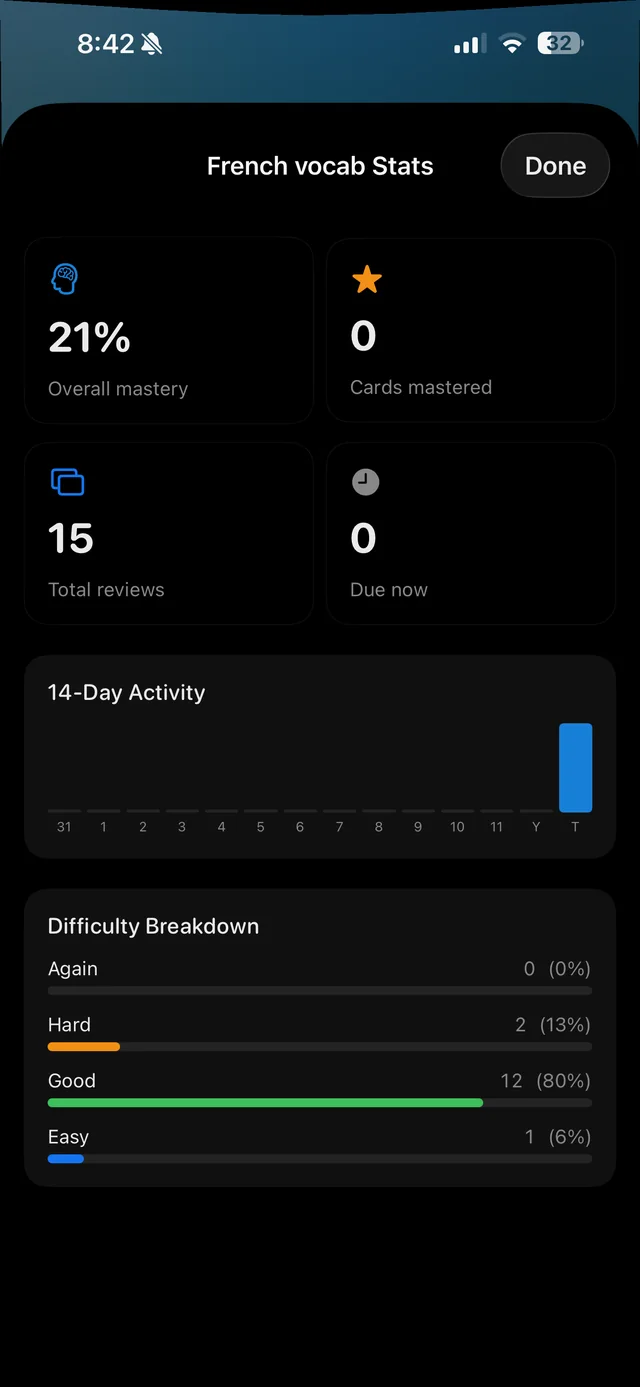
- Do a short review most days. Rate each card Again, Hard, Good or Easy (or swipe), and the stack schedules the next review.
- Before the exam, use the stats to find stacks with low mastery or lots of cards due.
FlashStacks is iPhone-only and doesn't sync to a computer. If you need that, see our comparison of flashcard apps.
Flashcards at university — FAQ
How many flashcards should I make per lecture?
Enough to cover what you could be asked — often 20–40 for a one-hour lecture. Quality matters more than count: one clear question per card.
Should I make my own flashcards or use pre-made decks?
Your own cards match your course and the act of writing them helps you learn. Pre-made decks save time for standard material, such as medical licensing exams. Many students use both.
How long before an exam should I start using flashcards?
As early as possible — ideally from the first week of semester. Spaced repetition works best over weeks, not days.
Is it worth using AI to make flashcards?
It can save a lot of time on the first draft, especially from lecture slides. Always check AI cards against your material, and rewrite or delete ones that are vague or wrong.
What's the best flashcard app for university students?
It depends on how you study. Anki is the most powerful and runs on every platform; Quizlet has the most shared sets; FlashStacks is built for iPhone, with widgets and AI decks from PDFs. See our full comparison.
Study your lectures in the gaps
FlashStacks is free to download on iPhone. Make a stack per course and put it on your Lock Screen.